
Disclaimer: The work described below was human driven, LLM assisted. This post is 100% human written, and human (me) proof-read so likely grammatically incorrect.
It’s bugged me for years that my Apple TV doesn’t do the 1 thing it’s name advertised: let me watch TV. Maybe I’m an idiot, but when I first heard of the Apple TV I assumed it was an enable non TV displays watch TV (i.e. it contains all the hardware that monitors strip out for antennas etc.). So obviously it was pretty disappointing when I found out that it doesn’t let you watch TV at all, and if you do want to watch TV you have to 1. Be using your Apple TV with a TV, and 2. leave the Apple TV product and switch back to your crappy TV interface (and swap remote too if you don’t have the nice HDMI CEC features). Or be American or something since there do seem to be some sort of built-in TV settings for some US providers in the Apple TV settings; since just like a lot of consumer big tech, lots of functionality is borderline worthless for the non-US market (I still remember how much of the global XBox One reveal was dedicted to showing off NFL integration that >50% of the global market could never access lol. Our university watch party took a break from the live stream to get beers). Anyway, I’m not American, and it’s not US TV I want to watch!
So, I want to watch TV on my Apple TV. Fortunately, there are sort of solutions that exist for watching TV on devices that aren’t TVs! Usually these streaming devices are effectively just a piece of TV hardware that then rebroadcast the signal as a somewhat more standard video format and a minimal api to control the device. Basically a TV with no screen and your device with a screen will become the controller and the display output. Naturally the stream will be encrypted. And naturally the decryption keys are available on the client.💯
Why not use one of these devices? Well we do have one actually. My wife wanted one to watch TV during her commute (Tokyo transit, you know?). So we have one of these: Pixela AirBox
They offer a reasonably well featured app covering several platforms although the app UX leaves a lot to be desired, and love or hate Apple glass I do like apps that actually follow accessibility guidelines, and simply going native with simple components, no company branding of fancy UX seems the most reliable way to achieve that. Unfortunately they offer no tvOS app, so we can’t watch TV on our TV via our Apple TV with it.
Unless we write our own client. So let’s figure out what the heck this little streaming device actually does.
In terms of feature set it’s quite simple and we can work backwards from the official app to figure out the rough apis it should have:
- You can pair with the device. It doesn’t request Bluetooth access so it’s probably broadcasting over WiFi. Pretty important. Probably a couple of exchanges done here. Also somewhat surprisingly there is 0 authentication required to pair; if you have a device on the same network and the app then that is all you need. It doesn’t seem to have any sort of protection or password/pin during first-time setup or anything; I suppose they leave the trust to the user; if someone is on your network who shouldn’t be using the hardware, thats a ‘you’ problem.
- You can unpair the current device, or unpair all devices at once (maximum of 6 can be paired). Probably pretty useful as we start poking at the device.
- There is a channel listing that shows the current program title etc. on each channel. Maybe this is encrypted and requires being paired to use.
- You can view the stream of the selected channel. Willing to bet this is encrypted but a fairly standard streaming format underneath.
- There is a way to start recording a channel, and therefore play it back later too. This required storage plugged into the streaming device, or some sort of cloud subscription. Recurring revenue extraction or something, but not required to watch TV on my Apple TV.
Therefore, to watch TV on our Apple TV attached to our TV we need to figure out how device discovery, pairing, channel browsing, and stream viewing operate, write our own client and get that onto our Apple TV.
Through the mighty power of Wireshark, XCode and an iPhone we laugh at capturing the apps network activity. We can simply use the app and watch the network activity. If we’re lucky there is no encryption used at all (unlikely). If we’re moderately lucky the decryption key is provided by the the streamer during pairing (poor security but better than nothing). If we’re unlucky then the decryption keys are buried in the app and we have to actually do some reverse engineering.
We captured the pairing, and channel browsing without encryption. Great! We found the video stream looks to be encrypted and no captured packets contain a viable decryption key. Not great!🤷♂️ That means a whole bunch of effort for us because we actually need to do some real reversing. Inevitable I guess..
This particular streaming device supports different platforms, including Mac OS which I was using. Due to some reason I cannot fathom it never occurred to me to target the Mac app (or the probably far more easily reversed Windows app) for any of this process (I only had the iPhone app installed so the brain just tunnel visioned onto that). Apple don’t make it easy to get a nice IPA anymore unlike back when iPhone OS 2 was the hot thing. A bit of messing around with enterprise provisioning will give you an encrypted IPA which isn’t useful. We need a decrypted one which can only be obtained through a jailbroken iOS 17 or older device since that had a nice exploit that more or less read a decrypted IPA back to disk from memory. Anyway let’s not care about that and just assumed I did that successfully and I now have a nice clean IPA to work from.
Disclaimer 2: this is purely educational etc. It will not help anyone actually circumvent the encryption of variety show slop, you still need to buy and own the hardware, download the app etc. Since Japanese law is rather archaic around fair use and I don’t want to get sued or arressed for falling foul of the UCPA the write-up below is kept rather vague so as to be purely informative. Basically, you’ll walk away sort of knowing how it works without any of the juicy technical details…
The first break came from a little network traffic watching where a Wireshark capture showed a specific client-identification handshake happening immediately before every stream request. After analyzing the binary, I located the central crypto class responsible for all the heavy lifting. The app relies on a globally shared factory key embedded within the binary to bootstrap the pairing process. This key is used to establish secure envelopes and verify per-stream identities. Additionally, I found secondary constants used to decrypt the remote-viewing account details fetched from the tuner, leveraging standard cryptographic libraries linked by the app.
With the root keys conceptually understood, the pairing handshake made sense. The protocol relies on standard symmetric encryption and hashing for key derivation. The pairing request wraps fresh randoms, a per-installation master key, and device information inside an encrypted envelope to establish re-authentication credentials with the server. Ultimately, the security model boils down to a hardcoded shared key, a per-installation random master key, and per-stream proofs derived from those two—which seems pretty reasonable to me for a consumer device like this.
The stream itself was more interesting since it’s the real meat-and-potatoes of the product: the capture showed HTTP chunked bodies where every chunk is a multiple of 188—standard MPEG-TS packet size—but the expected 0x47 sync byte only appears in the first packet of a stream; everything after is uniform noise. This indicated one plaintext header packet followed by an encrypted payload. The first packet serves as the key transport, securely wrapped using a key derived dynamically from the request parameters and client-generated headers. Once unwrapped, this transport packet yields the session key and rolling parameters needed for the bulk data. The bulk stream itself is encrypted in blocks using a rolling key mechanism. After mapping out this architecture, decrypting the captured stream offline produced 100% TS sync bytes, with ffprobe happily reporting H.264 + AAC—the moment you’re done reversing and can start writing Swift.
Ironically the crypto was the easy half. The tuner is a weird embedded Linux box and most of the remaining time went into its personality quirks, each of which looked like my bug at the time:
- It refuses its vendor SOAP actions (
-111 Invalid Action) from any HTTP client that doesn’t send a libupnpUser-Agentheader. The official app’s stack always sends one; curl doesn’t obviously. It took me an embarassingly long time to notice this since I got fixated on having somehow hit the conneced device limit being the cause despite this being easily disprovable. - It answers
501 XML errorif your SOAP envelope has an XML prolog. The app sends a bare<s:Envelope>with newline separators, and the tuner’s parser is exactly that picky. - It drops kept-alive connections mid-request (
-1005), so every SOAP call needsConnection: close. - It gets sulky at you if you don’t treat it with respect: abandon a stream connection (kill -9 a test, say) and it accepts your next request, sends the key packet, then tunes nothing for the next minute. Relationship crisis with a TV tuner.
- And my favourite: the PMT inside its transcoded TS is a stale copy of the original broadcast’s PMT, pointing at PIDs that carry nothing, while the actual H.264 and AAC ride completely unlisted PIDs. ffprobe doesn’t care because it scans; AVPlayer very much cares because it’s table-driven. Our HLS bridge therefore discovers the real PIDs empirically (find the PES streams that actually contain keyframes and audio), synthesizes its own honest PAT/PMT, and filters the lying table packets out of the segments.
At this point we are effectively done, and can repackage the results into whatever format we want for where we want to play it. For us that’s Apple TV. I will say that the device isn’t too horrible and the I couldn’t really devise a better way to design it without needing some sort of remote authentication (big respect to the manufacturer here!). Shout-out to the manufacturer by the way, there don’t seem to be many devices in this market and while I’d sure as heck have made some changes to the design I have never had reliability issues with it over several years; definitely recommended to anyone in the ‘watching TV in the bath’ demographic.
For playback we do what the official app does: descramble into plaintext TS, cut it into segments at video keyframes, and re-serve it as live HLS on a loopback port that AVPlayer can open. The live-HLS details matter more than you’d expect: a live player joins roughly three target-durations behind the live edge, and since the tuner encodes at exactly 1× real time the player can never get ahead — 1-second segments starve no matter what; 4-second GOP-aligned segments play clean. Final bone-headed moment: my pure-Swift AES did 19 MB/s in a Release build and ~0.3 MB/s in Debug, and 0.3 MB/s is exactly one stream’s bitrate so I got to enjoy a bunch of stutter. Assuming the code was slow I burned a bunch of time looking for optimizations when I should have just run a release build :facepalm:
All that just to watch TV on my TV’s Apple TV.
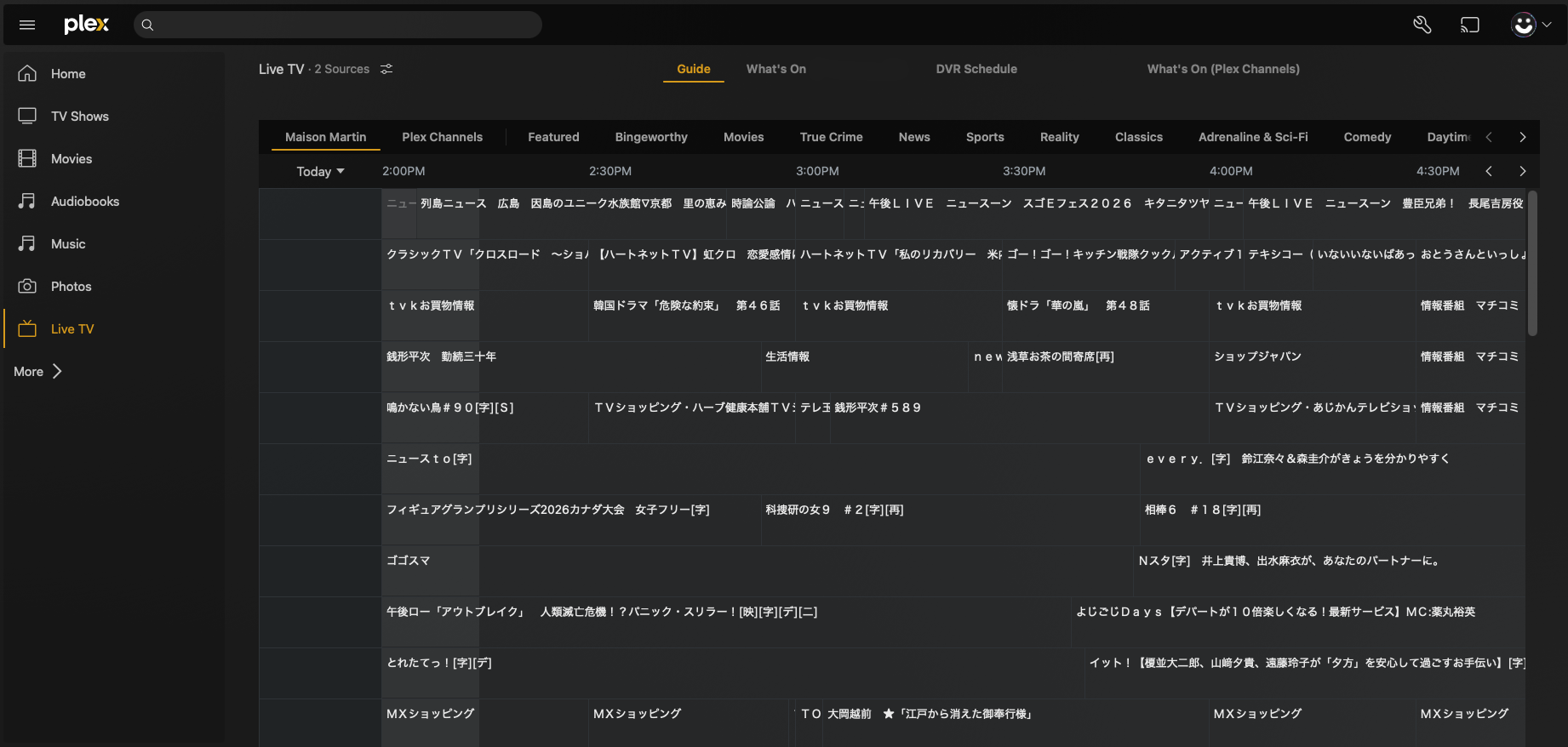
(edit: I later added a Plex shim too so live TV works there for within the family home. Basically just a boring little app that runs on the home lab with Plex that handles translating requests between plex & device. Now we have (some) control over the hardware that we own! I’d love to publish the actual library but messing with broadcasters is no joke).